Know exactly where your money went — and where it's going.
MyMoneyConcierge is a personal-finance app with a real double-entry ledger underneath and plain language on top. Every dollar comes from somewhere and goes somewhere, the maths is exact to the cent, and the whole thing lives encrypted on your phone.
Try it free for 14 days. No credit card required. Choose a subscription when your trial ends · then $7.99/mo (Personal) or $10.99/mo (Connected) · No ads, no data selling.
A look inside
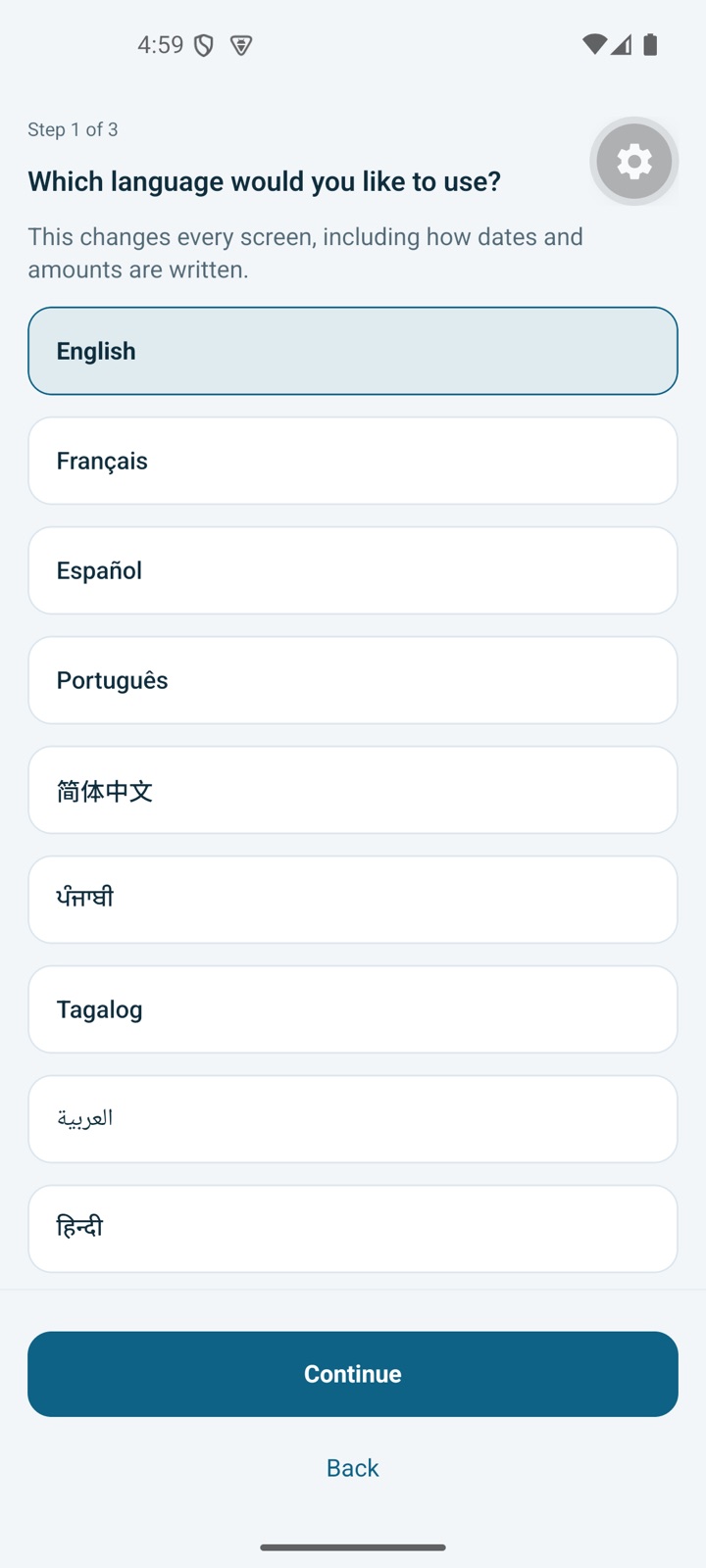
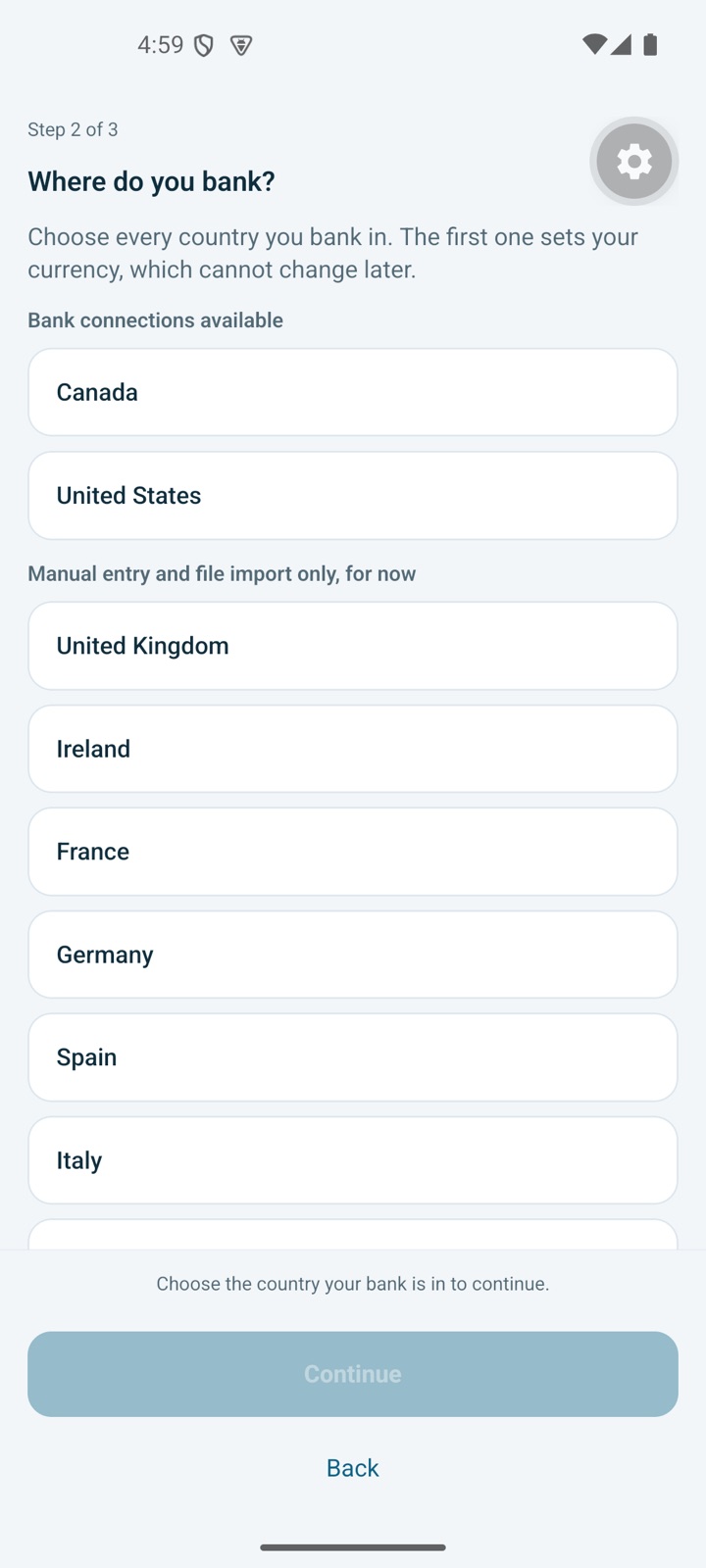
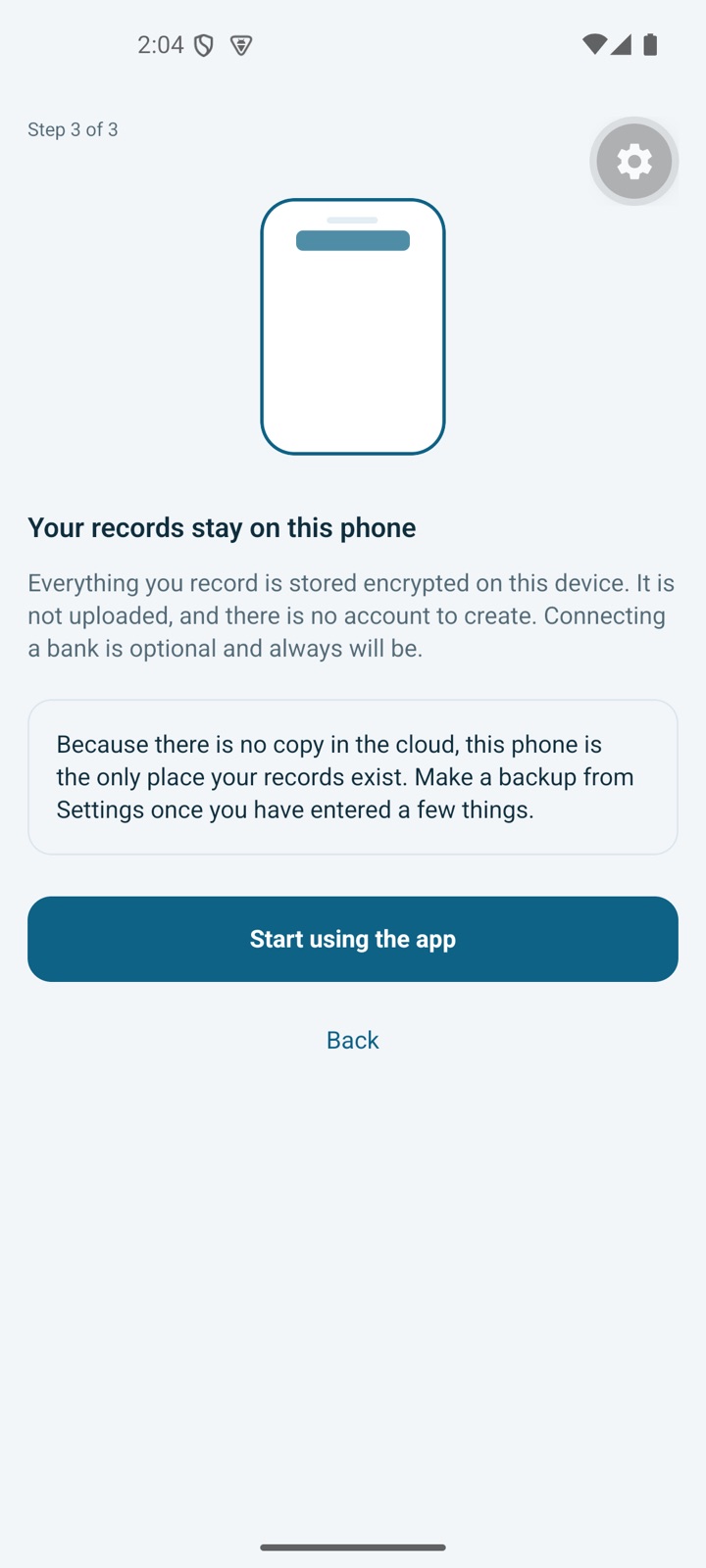
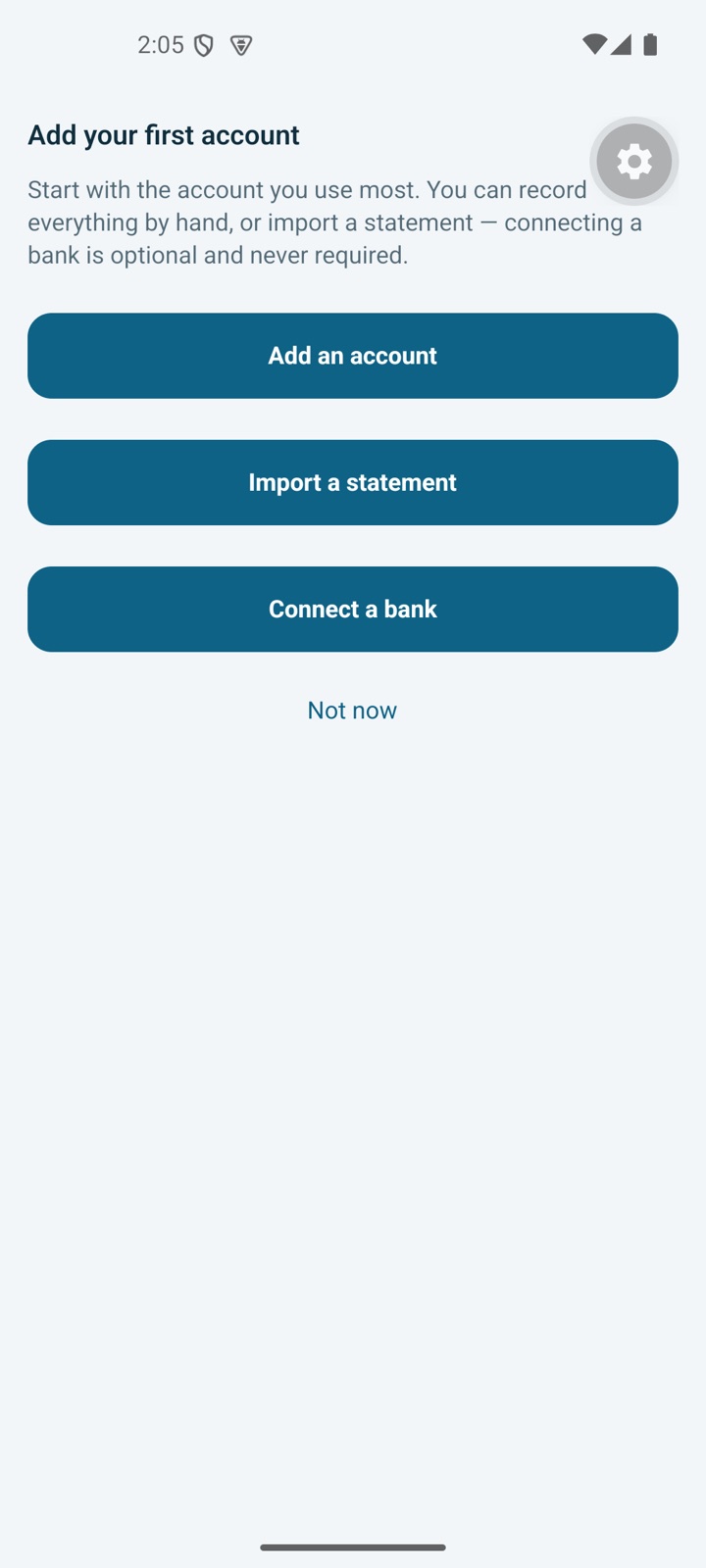
Real screens from the current build. These are the setup journey — the ledger, forecasting and reports screens are described below and will be shown here once there's a build with data in it.
A ledger that can't quietly lose a dollar
Most money apps keep a list of transactions and hope the totals add up. MyMoneyConcierge runs a genuine double-entry ledger: every entry has a source and a destination, and the two sides are required to balance. A transfer between your own accounts can never accidentally count as spending, and a category total can never drift away from the transactions behind it.
Money is stored and calculated as exact decimals — never as floating-point numbers, which is how other apps end up a cent out and can't tell you why.
- Every dollar comes from somewhere and goes somewhere
- Transfers are transfers, not phantom spending
- Exact decimal maths — no rounding drift
- Open any total and walk back to the entries
No spreadsheet. No accounting degree.
The ledger is the engine, not the interface. You say what happened — "42.60 groceries, Visa" — and the app works out the entry, the accounts, the category and the balancing side. Speak it, type it, or snap the receipt.
If you've bounced off budgeting apps before, this is usually why: they made you learn their system first. Here you describe your life, and the bookkeeping happens behind the curtain.
- Type or speak it the way you'd say it
- Receipts scanned and read on your device
- Splits, tags, notes and attachments when you want them
- Recurring bills and transfers detected and set up for you
The question isn't "what did I spend" — it's "will I be okay"
MyMoneyConcierge projects your balance forward from your own recurring income, bills, transfers and goals, and tells you the exact date things get tight — before they do. Then it shows you what moving one payment would change.
"Safe to spend" is not your balance. It's what's left once everything already committed between now and payday has been set aside — which is the number people actually need and almost never have.
- Balance projection from your real commitments
- The tightest day, named, with the reason
- Try a change before you make it
- Goals funded first, not from what's left over
Smart where it helps — fenced in where it matters
This is your money, so the intelligence sits on tested arithmetic, not on a model's judgement.
Code decides, AI narrates
Every balance, projection, category total and threshold comes from unit-tested code. The assistant turns the result into a sentence — it never picks a number.
It can't write to your books
The AI has no code path to your ledger. It produces a proposal; you confirm anything that matters. That's structural, not a promise.
Not financial advice
It describes your patterns and your projections. It won't recommend investments, score your credit, or make a decision for you — by design and by policy.
On your device by default
AI Insights run only when you tap for them, and cloud AI needs your consent first. What is sent is a summary prepared on your phone — never individual transactions, account names or account numbers.
For the Sunday-night look at the balance
The gap between paydays. The bill you forgot was annual. The month you'd rather not open the app at all. MyMoneyConcierge is built to be opened on exactly those evenings — and to give you a straight answer instead of a wall of charts.
No account on our servers, nothing sold to anyone, and no product that gets better the more of your financial life it collects.
See what's includedUp and running in an evening
You don't have to import ten years of history or categorise anything to get value on day one.
Add what you have
Enter your accounts and their current balances, or connect a bank on the Connected plan. Import a CSV, OFX or QFX file if you'd rather bring history with you.
Tell it about your month
Rent, salary, the subscriptions, the goal you're saving toward. Recurring items get set up once and then look after themselves.
Get a straight answer
From then on the home screen answers the only two questions that matter: what's genuinely safe to spend, and what's coming that you should know about.
Everything in one place
A complete personal-finance application — not a spending tracker with a paywall in front of the useful parts.
Accounts & transactions
Unlimited accounts and entries — chequing, savings, cash, credit cards, loans. Splits, tags, notes, receipts and non-destructive edits that keep their history.
Budgets that hold
Budgets by category and period, funded from real money rather than wishful thinking, with rollovers and an honest picture of what's left.
Forecasting & projection
Future balances from your own recurring entries, the tightest day named, and what-if changes you can try before committing to them.
Goals, funded on purpose
Set money aside for a goal before it's spendable, so "safe to spend" already accounts for the thing you're saving for.
Import & export, both ways
Bring history in from CSV, OFX and QFX. Take everything out whenever you like — your records are yours, in a file you own.
Reconciliation
Tick off a statement against your ledger and know the two agree — the step that turns a rough tally into records you can actually rely on.
Bank connections
On the Connected plan: up to five linked accounts, automatic import, pending-to-posted matching, duplicate prevention and connection health you can see.
Reports worth reading
Where it went, how it compares, what changed and why — every figure traceable back to the entries that produced it.
Private on a shared phone
Face ID, Touch ID or fingerprint lock where your phone supports it, asked for again after five minutes in the background, and a full delete that destroys the encryption key.
Why MyMoneyConcierge
Four choices that make it different from the personal-finance apps you've already tried.
Your data stays yours
Encrypted on your device, not in an account on our servers. There's no pile of customer finances here to leak or sell.
Real double-entry
Both sides always balance, so your totals are true — not a list of transactions with sums bolted on top.
AI with guardrails
Tested code computes every number; the assistant only puts it in plain words. It can't write to your books.
Manual is first-class
Connect a bank if you want automation — or don't, and lose nothing. Switch either way without losing a single entry.
| What matters | MyMoneyConcierge | Typical cloud money app |
|---|---|---|
| Where your ledger lives | Encrypted on your device | In an account on the vendor's servers |
| Account required to use it | No account needed for the core app | Sign-up required before anything works |
| Bank connection | Optional — manual accounts are fully supported | Usually the central mechanic; manual is second-class |
| Money maths | Double-entry, exact decimals | Transaction list with computed sums |
| If you stop paying | Still read and export everything you've recorded | Varies — access is often lost with the subscription |
| AI writing to your records | Structurally impossible; you confirm every entry | Varies, and rarely stated |
| Ads & data selling | None, ever | Varies by vendor and business model |
| Published security page | Yes — read it | Usually a short trust page |
The right-hand column describes the common design pattern across cloud-account personal-finance apps as a category, not any one named product; individual apps differ and change often. Compare against whichever app you're considering using its own current documentation. MyMoneyConcierge is an independent product and is not affiliated with or endorsed by any other personal-finance service.
Two plans. The difference is automation, not features.
Every new install includes a 14-day free trial of Personal, no card needed. The finance app is complete on both — Connected simply keeps it up to date for you.
Cancel anytime · no ads · we never sell your data · prices in USD.
Dashboards, forecasting, reports and analysis are identical on both plans. We won't put the useful parts behind the more expensive tier.
If your trial ends or your subscription lapses, the app locks until you subscribe. Nothing is deleted, and you can always export or delete your data — nothing is held hostage.
Questions, answered
Where is my financial data stored?
On your device, in an encrypted database whose key is held in the iPhone Keychain or Android Keystore. There's no account holding your ledger on our servers, so there's no central store of customer finances to breach. The full detail is on the security page.
Do you ever see my bank login?
No. You sign in to your bank inside Plaid's own screen, so your bank username and password never pass through MyMoneyConcierge.
What does "double-entry" actually get me?
Accuracy you can trust without checking. Every entry has a source and a destination and the two must balance, so a transfer between your own accounts can't be miscounted as spending and a category total can't drift away from the transactions behind it. It's the same principle real accounting has used for centuries — just hidden behind plain language.
Do I have to connect a bank?
No. Manual accounts are fully supported and are not a degraded experience — the Personal plan is a complete finance app. Connecting a bank on the Connected plan simply saves you the typing. You can switch an account between connected and manual without losing any history.
What are AI Actions?
Each tap of Generate Insights or Refresh Insights uses one AI Action. Personal includes 25 a month, Connected 100. They don't roll over. The everyday intelligence in the app — balances, forecasts, totals — is ordinary code and doesn't consume anything.
What does the AI receive?
Only when you tap Generate or Refresh Insights, and only after you have agreed to cloud AI in the Privacy Centre: a summary prepared on your phone — totals by account type, monthly income and spending, top categories with totals, debt balances, rates and minimum payments, and merchant names with totals. Individual transactions, descriptions, dates, account names, bank names and account numbers are not sent. It goes through our server and Cloudflare AI Gateway to OpenAI by default, or Anthropic, which process requests under their own API terms. The details are on the security page.
Does it give me financial advice?
No, and that's deliberate. It describes your own patterns and projects your own numbers forward. It won't recommend investments, score your credit, or make a decision for you. For advice about your situation, talk to a qualified professional.
What happens if I stop paying?
The app locks until you subscribe, but nothing is deleted, and you can always export or delete your data from the locked screen. Being able to leave with your complete financial history is a commitment we treat as a security property, not a courtesy.
What if I lose my phone?
Because your ledger lives on your device, an encrypted backup you make in Settings → Backup and restore is your safety net — restoring it on a new phone is how you move phones. The database is encrypted and excluded from iCloud and Android device backups.
Is there a free plan?
No. Every new install includes a 14-day free trial with no card, then a paid plan is required; there are no ads or data selling on either plan. We'd rather be paid by you than paid for you.
Which currencies and regions?
The app is built multi-currency, with Canada as the first market for bank connections. Manual accounts work anywhere. Availability of connected banking depends on the institution and the region.
When can I get it?
It's available on the App Store and Google Play. Leave your email below if you'd like to hear about updates — and not otherwise.

Private by construction
Privacy here isn't a settings screen — it's the architecture. Your ledger is encrypted on your device and we hold no bank credentials, so there is very little about you for us to lose, sell, or be compelled to hand over.
- No advertising SDKs, and no tracking on iPhone
- No selling or sharing of personal information
- Bank credentials never touch our systems
- Export everything, or erase it all in one tap
Read the Privacy Policy or the detailed security programme.
Be there when it launches
One email, when MyMoneyConcierge is available. No newsletter, no drip campaign, no sharing your address with anyone.
Available on the App Store and Google Play. Questions in the meantime? Get in touch.